Is Tweenery a good Canva alternative for carousels?
Stay on Canva if you like designing by hand, work in a team or need scheduling. Switch to Tweenery if you want an AI to write and design the whole carousel, on brand, from one prompt or a post you liked.
By Martin, founder of Tweenery · Last updated
I'm the maker of Tweenery, so check the slides below and judge for yourself. Every Canva fact on this page was checked in a Canva Free account on November 24, 2026.
Verdict by use case
- You design by hand and want full control: Canva.
- You work with a team, comments and shared brand kits: Canva.
- You want to schedule posts from the same app: Canva Pro. Tweenery doesn't post or schedule.
- You want the AI to write and design the whole carousel: Tweenery.
- You want your brand set up from your website or @handle: Tweenery.
- You want to copy the look of a carousel that already went viral: Tweenery.
- You want the best AI images: Canva.
Tweenery vs Canva at a glance
| Tweenery | Canva | |
|---|---|---|
| What it is | AI agent in a chat that writes and designs carousels | Design editor with templates and Canva AI |
| Score on our test prompt | 13/14 | 9/14 (Canva AI) |
| Finished all 7 slides | Yes | No, the free AI stopped at 6 |
| Free AI | 200 signup credits, about 2 to 3 carousels | Small monthly allowance; one carousel used it up in our test |
| Brand setup | From one website link or @handle: colors, fonts, logo, voice, audience | Free: 1 Brand Kit, 3 colors. Logos, fonts and brand voice need Pro |
| Copy a viral post | Yes, from an Instagram or TikTok link or screenshot | No |
| Edit with AI | Chat: "make slide 1 shorter" | Canva AI chat, uses the same monthly allowance |
| Sizes | Instagram, TikTok, LinkedIn, Pinterest | Any size; Magic Resize is Pro |
| Templates | None to browse | 1.6M+ free, 3.6M+ on Pro |
| Hand editing | Through the chat | Full drag-and-drop editor |
| Team collaboration | No | Yes, real-time |
| Scheduling | No | Pro and up |
| Paid from | $20/mo | $18/mo or $144/yr |
How we ran the Canva test
Canva AI got the exact brief from our test of 7 AI carousel generators:
Make a 7-slide carousel: "5 habits that quietly ruin your sleep". Strong hook on slide 1, one habit per slide, save CTA on the last slide.
Each carousel got up to 2 points on 7 checks drawn from 280 viral Instagram carousels. Most Canva users start from a template, not the AI, so we also timed that route.
Tweenery: 13/14, about 1 minute 45 seconds
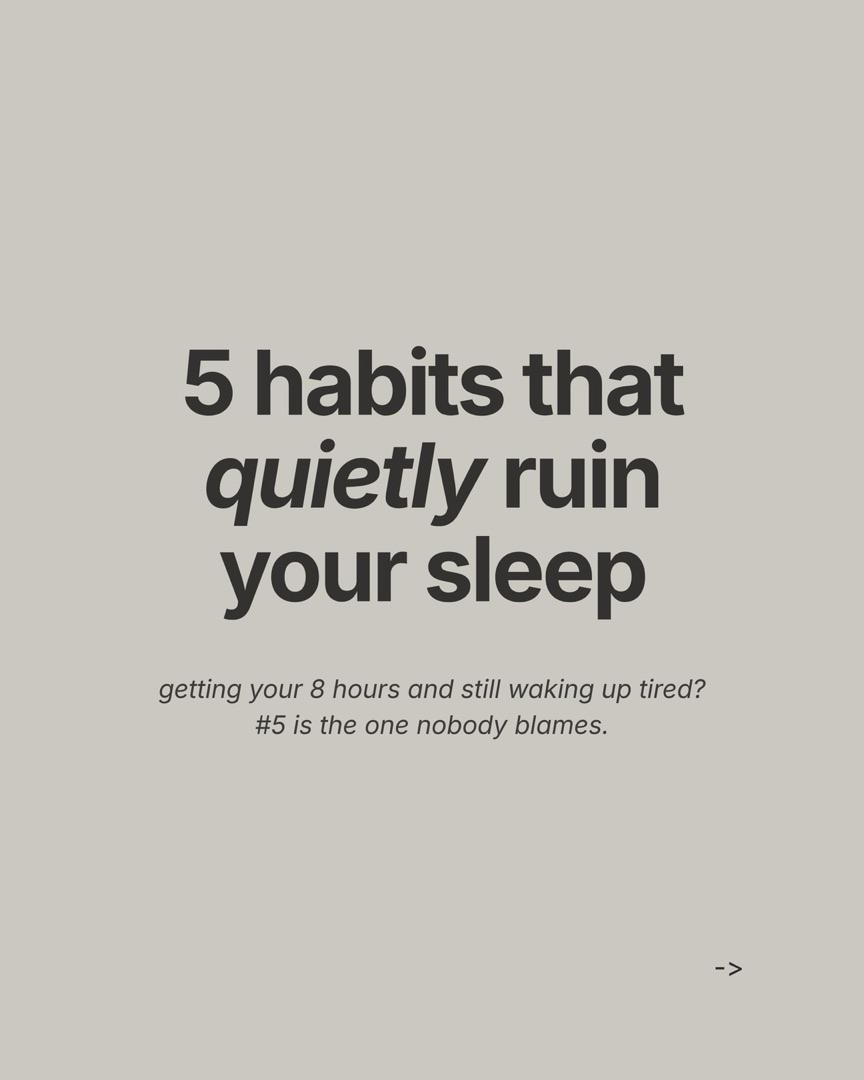
Cover
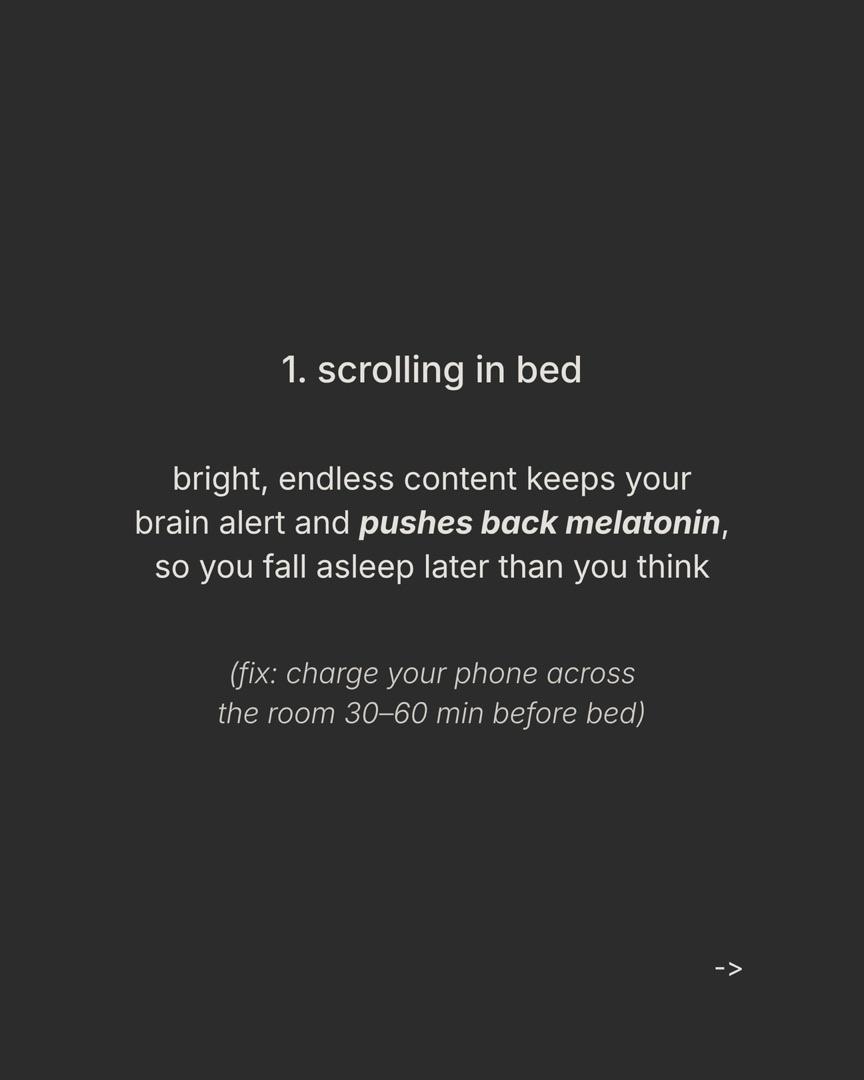
Habit 1
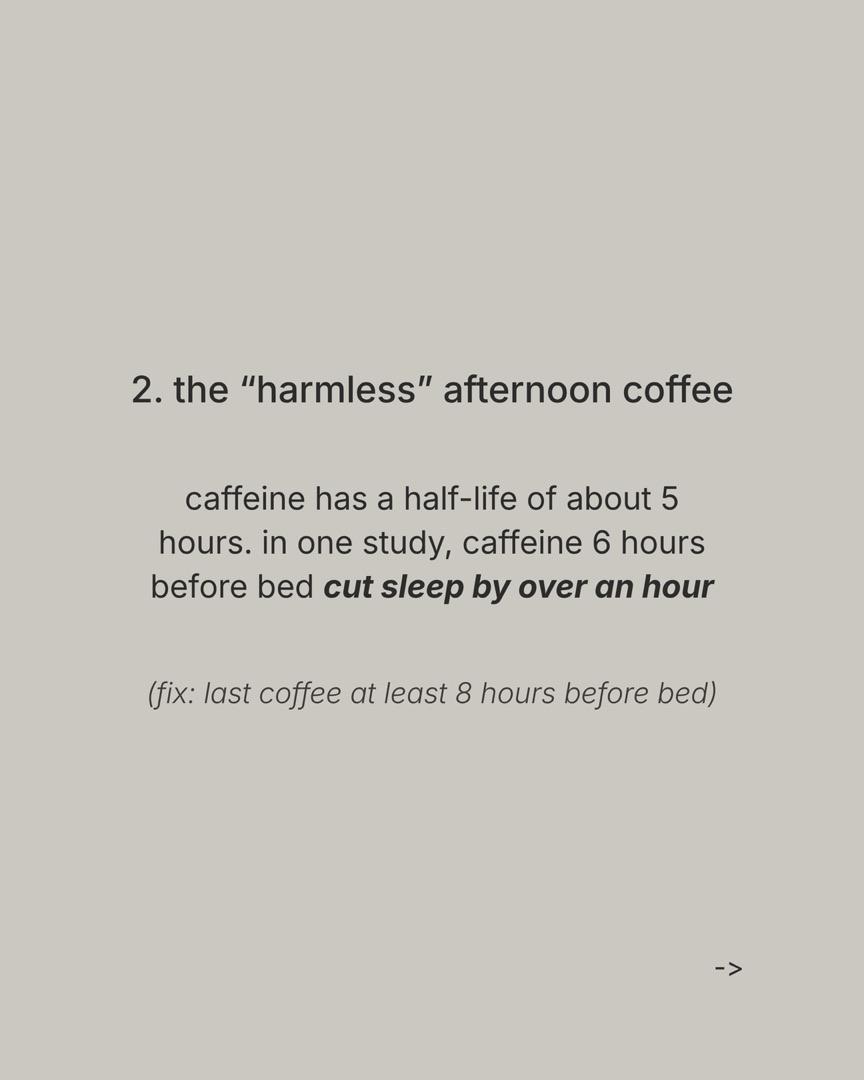
Habit 2
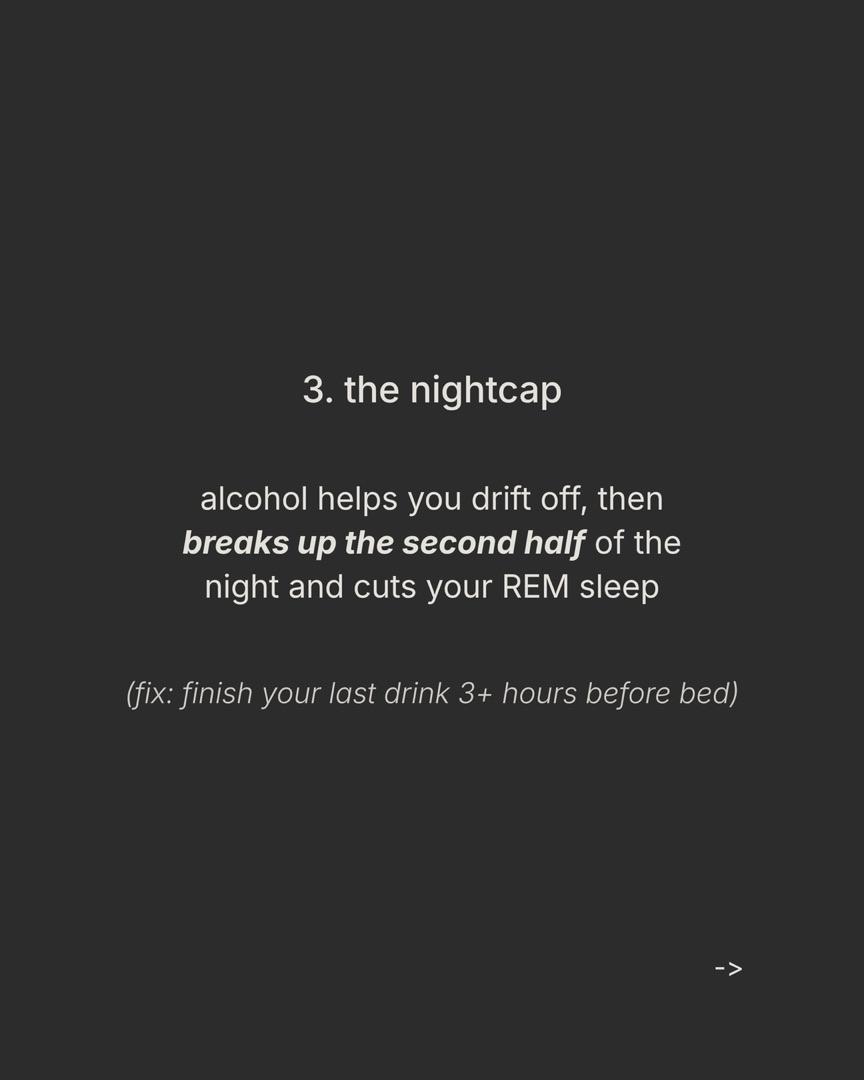
Habit 3
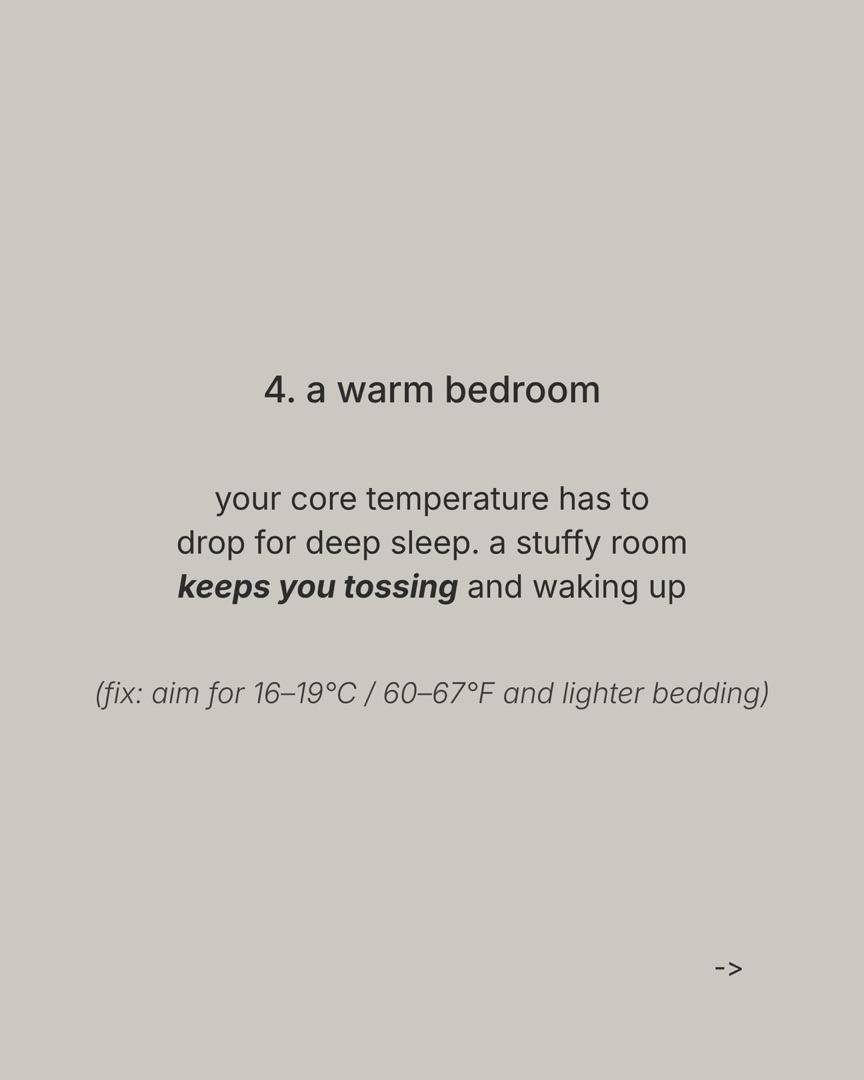
Habit 4
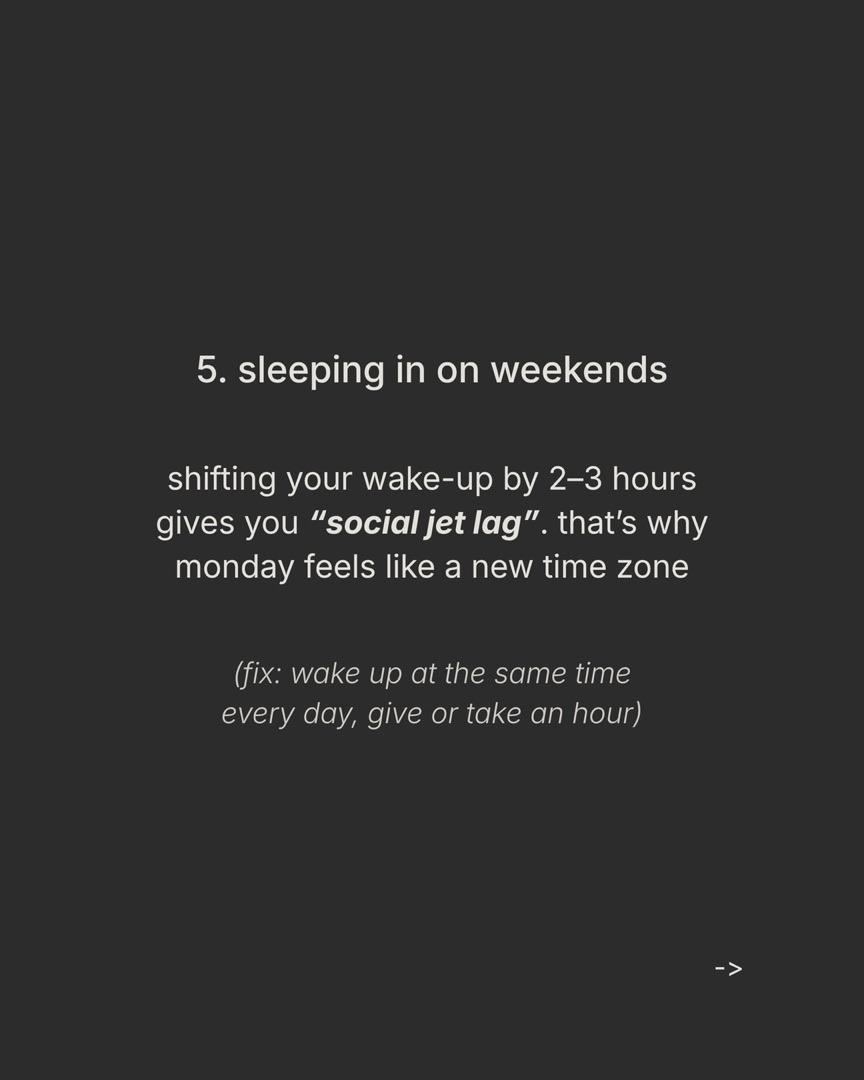
Habit 5
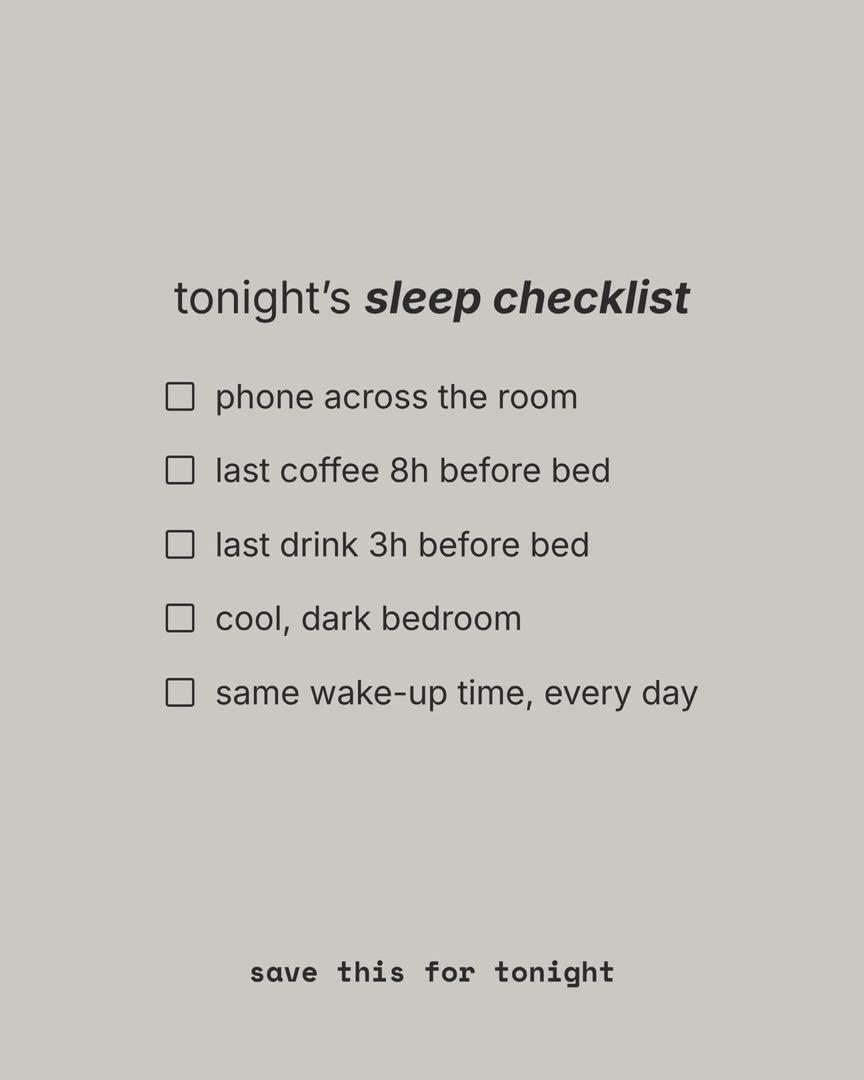
Save CTA
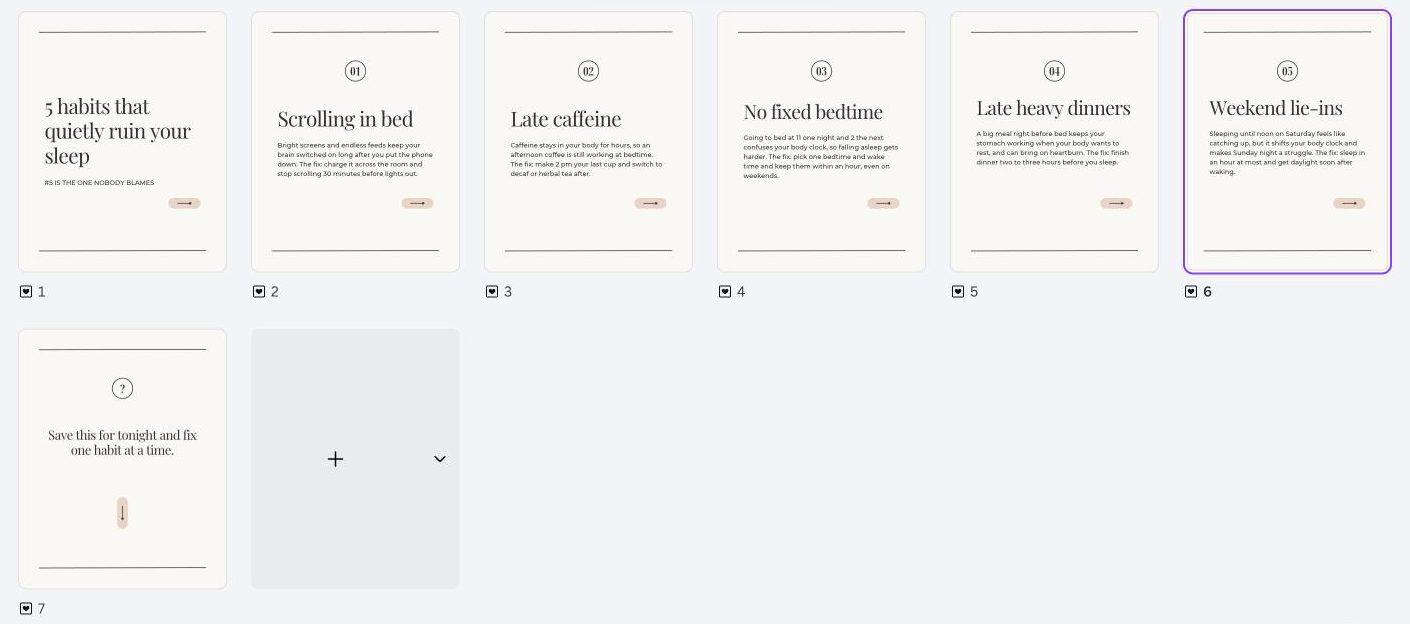
No questions, then 7 portrait slides. A short number hook opens it, each habit slide pairs one idea with a fix, and the body text sits at 30 to 35 words. Missing handle: minus one point. Compared with Canva's photos, it's bare: text only, no pictures.
Canva AI: 9/14, and the free AI ran out
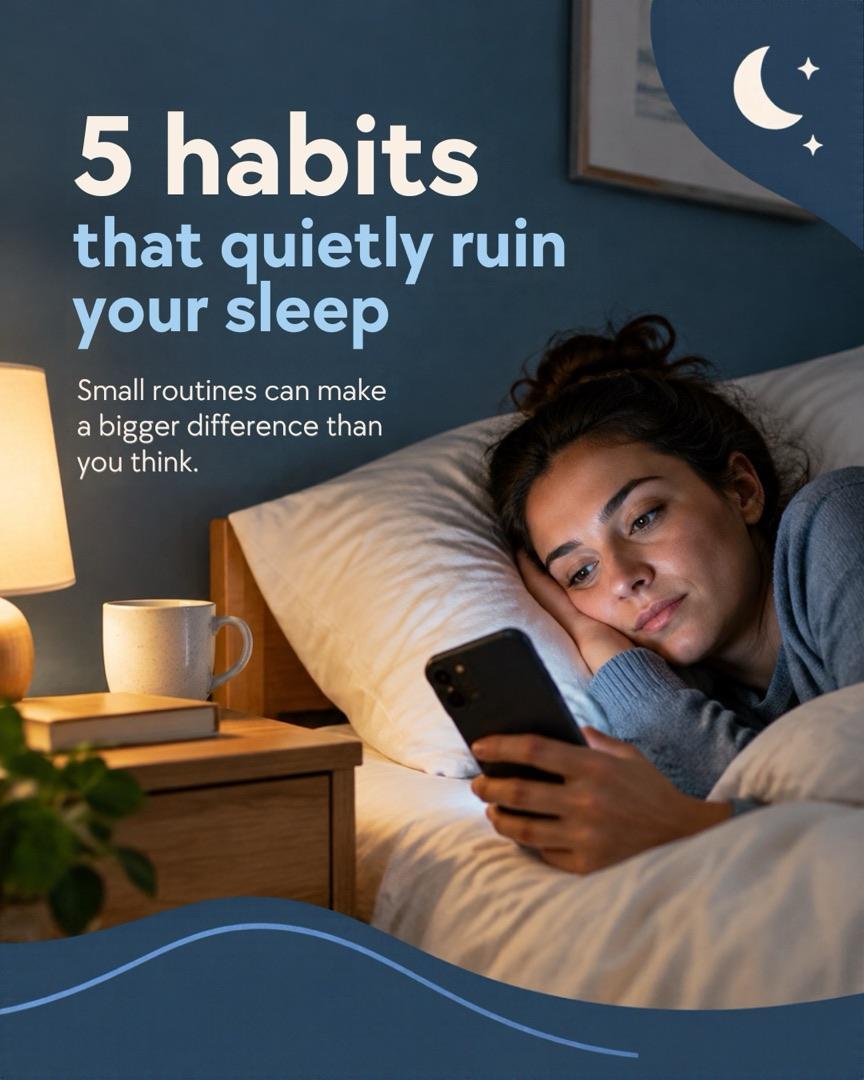
Cover
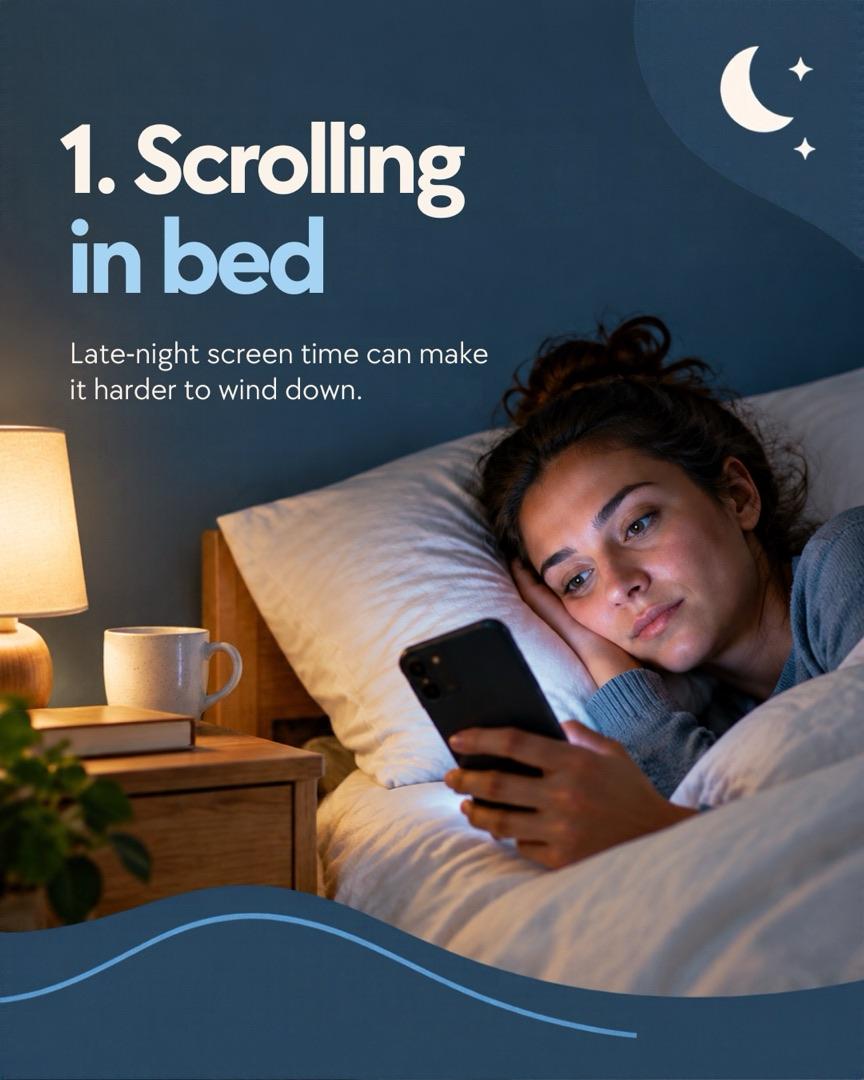
Habit 1
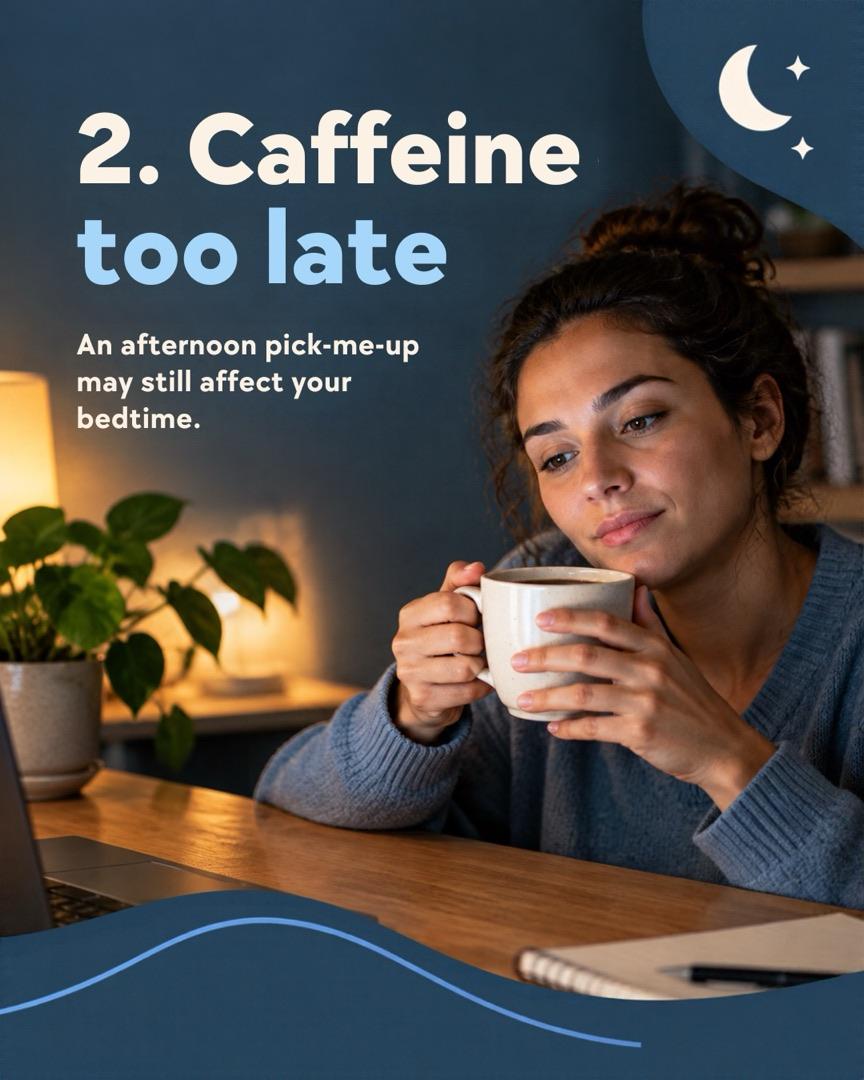
Habit 2
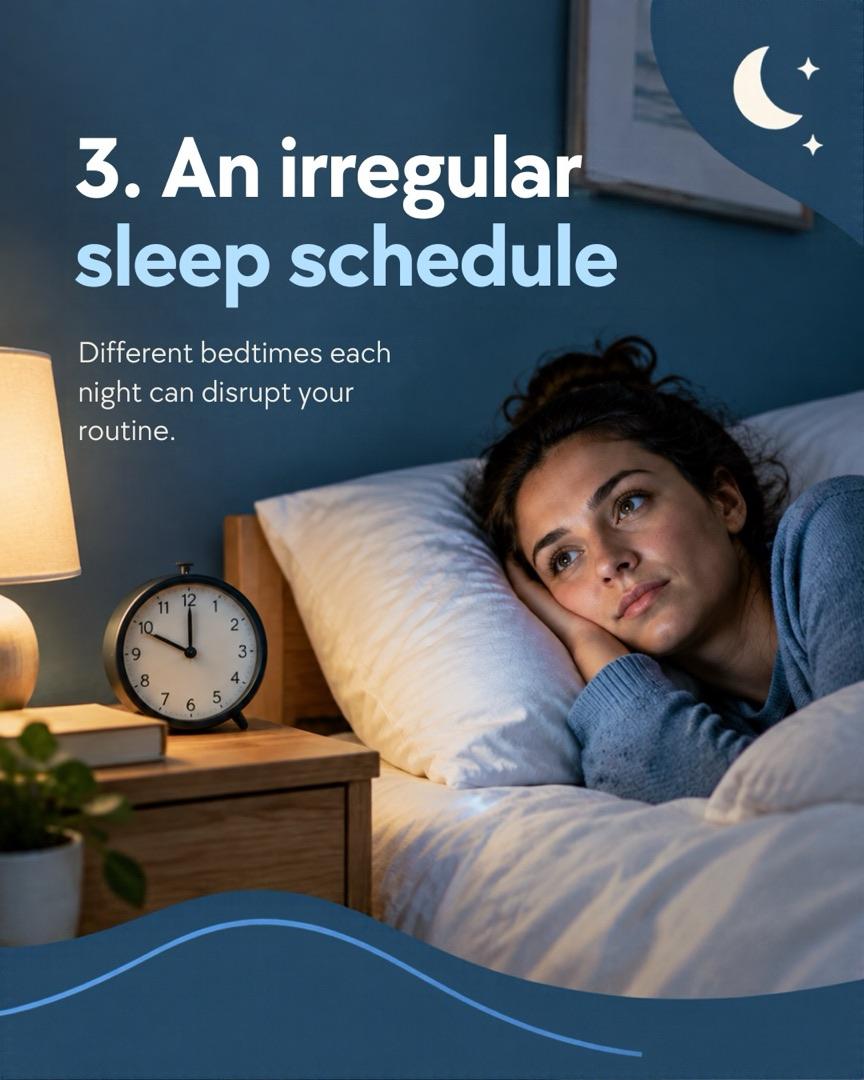
Habit 3
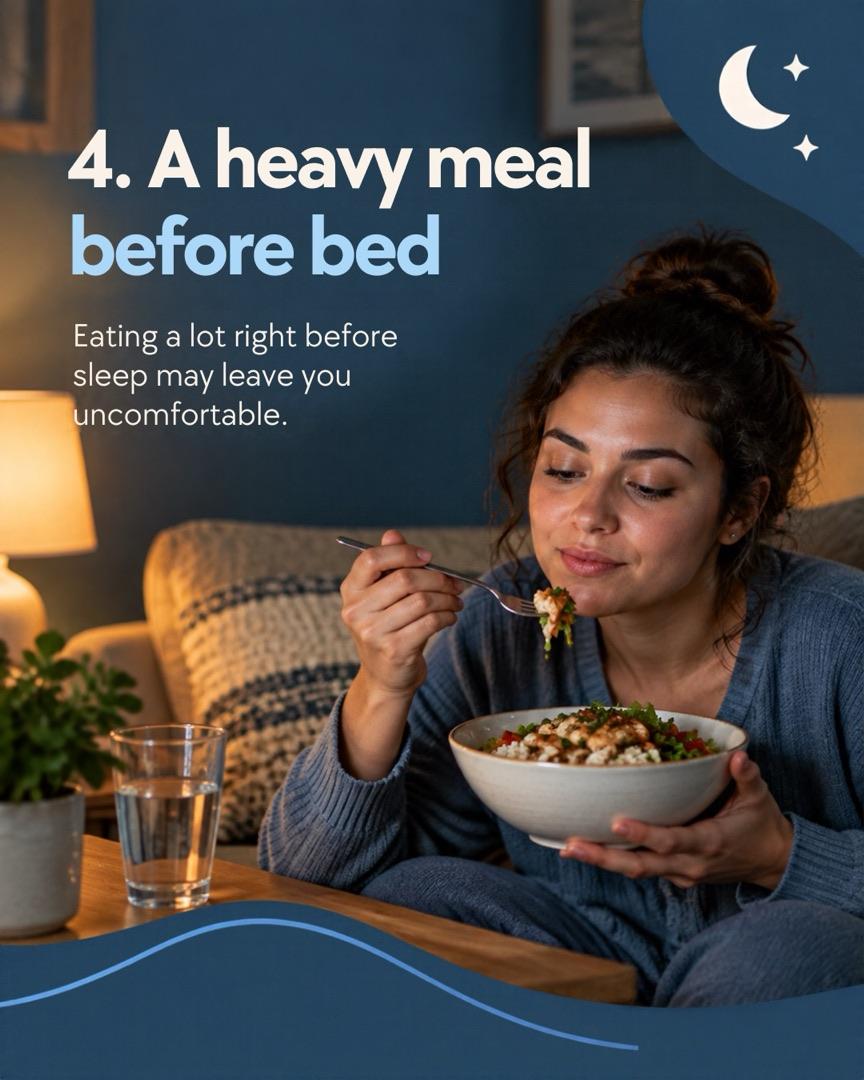
Habit 4
Habit 5
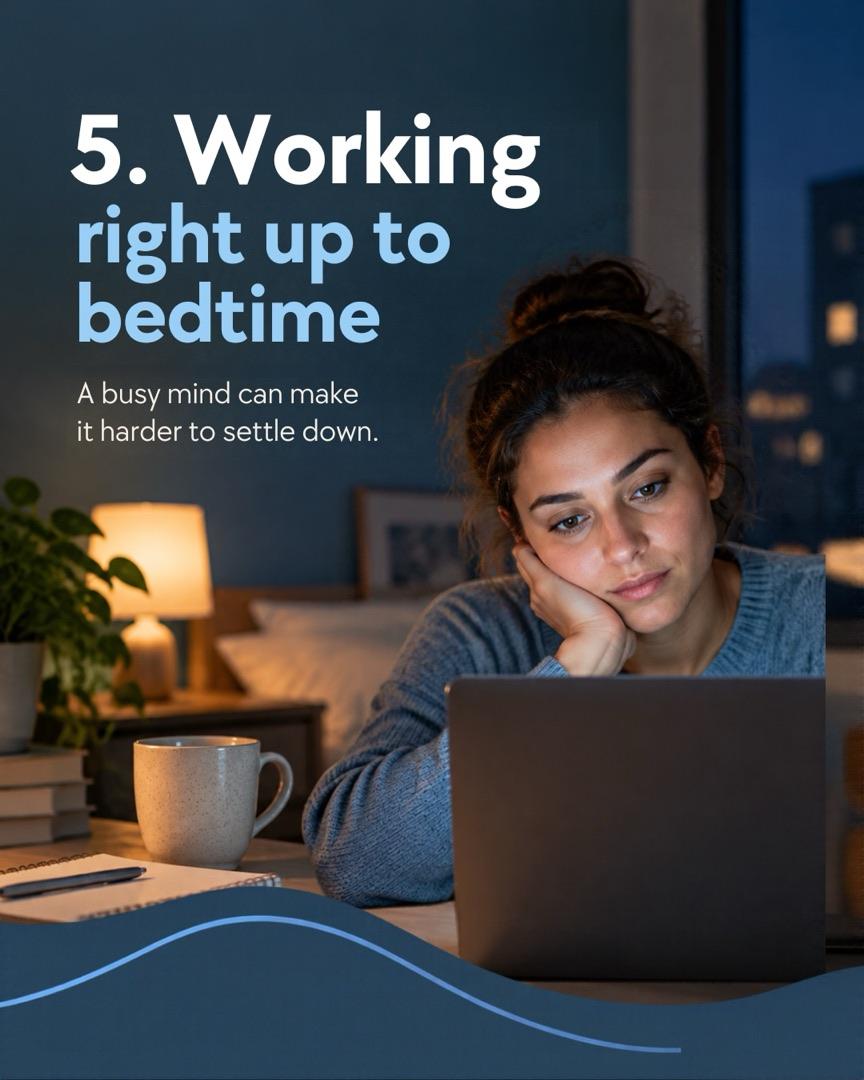
Canva AI asked who the carousel was for, then made the best-looking images of any tool we tested: the same AI-generated person on every slide and a navy night theme. But the free AI allowance ran out after 6 pages, so the save CTA never got made. The text is short, 10 to 14 words per slide.
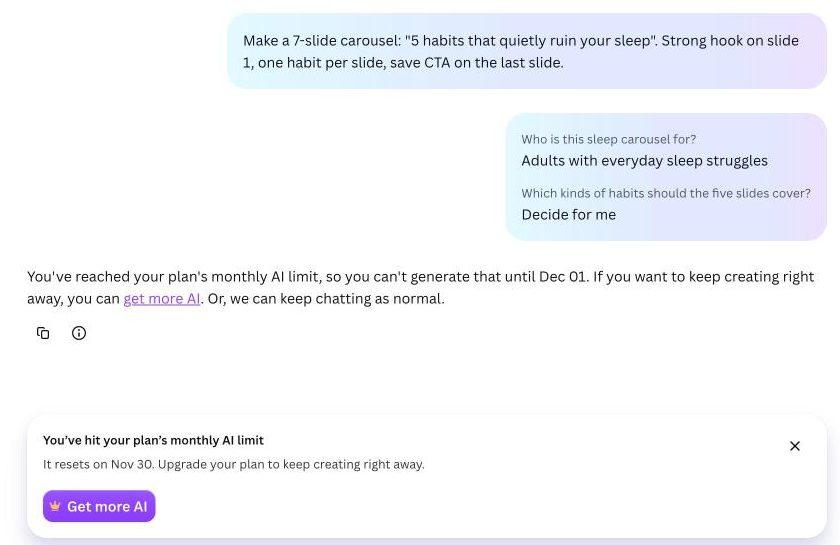
Two weeks later, on November 24, we ran the same prompt again. Canva AI answered that we had reached the plan's monthly AI limit and couldn't generate until December 1. Canva doesn't publish how much of the allowance a task uses.
Canva template route: about 3 minutes, but you write everything
Searching "instagram carousel" in Canva brings up more than 20,000 templates. We picked a 4:5 text one with a cover, numbered tips and a closing slide. Swapping in our text, adding a page for the fifth habit and renumbering it took about 3 minutes of clicking, with the copy already written. Writing about 200 words of slide copy is the real work, and that part is all yours.
It scored 12/14 with our copy: it lost a point for using three typefaces and one for having no handle. That score is mostly a score of what you write.
Pricing compared (November 24, 2026)
| Plan | Tweenery | Canva |
|---|---|---|
| Free | 200 credits at signup, no card | $0, small monthly AI allowance, 3-color brand kit |
| Entry | Creator: $20/mo for 2,000 credits, or $200/yr | Pro: $18/mo or $144/yr, 10x the free AI allowance |
| Next | Pro: $45/mo for 5,000 credits | Business: $25/mo per person or $250/yr, 20x the free AI |
| Top | Agency: $200/mo for 25,000 credits | Enterprise: contact sales |
Tweenery's credits never expire, and every plan gets every feature. Canva's AI allowance resets monthly, and extra AI is a paid add-on.
Where Canva is better
- Design control. A full drag-and-drop editor and over a million free templates. If you enjoy designing, nothing in Tweenery replaces that.
- Images. Canva AI made the best images in our test.
- Teams. Real-time collaboration, comments, and up to 100 brand kits on Business.
- Scheduling. Pro includes a content planner that schedules posts. Tweenery doesn't post or schedule.
- Everything else. Decks, posters, video and print live in the same app, and Canva exports PNG, JPG, PDF, MP4, GIF and PPTX.
Where Tweenery is better
- It writes the carousel. 13/14 against Canva AI's 9/14 on the same prompt, with all 7 slides finished.
- Your brand from one link. Paste your website or @handle and it picks up your colors, fonts, logo, voice and audience. On Canva Free, the brand kit holds 3 colors. See posts in your brand style.
- Copy a post that already worked. Paste a link to a viral Instagram or TikTok carousel, or a screenshot, and it rebuilds the look and structure with your topic. See copy a post's style. We found no way to start from a post link in Canva.
- Edit by chatting. Say "make the hook shorter" or "redo slide 4" and only that changes.
- More than one AI carousel on the free plan. On our Canva Free account, one carousel used up the month's AI.
- Every platform size without Magic Resize. Instagram, TikTok, LinkedIn and Pinterest shapes are built in; Canva's Magic Resize is Pro.
Who should pick which
Stay on Canva if you already design there, want to tweak every element by hand, work in a team, or want scheduling in the same tool. For carousels, start from a template and write the copy yourself, or use Canva AI on Pro so the allowance lasts.
Switch to Tweenery for carousels if you'd rather describe the post than build it, want every carousel on brand without setting up a kit by hand, or want to copy the format of posts that already went viral in your niche. Many people use both: Tweenery for carousels, Canva for everything else.
FAQ
Is Tweenery better than Canva for Instagram carousels?
For making a carousel from a prompt, yes in our test: Tweenery scored 13/14 and finished all 7 slides, while Canva AI scored 9/14 and stopped at 6 when the free AI ran out. For hand design, templates and teamwork, Canva is better.
Can Canva make a carousel with AI for free?
Yes, but the free AI allowance is small and monthly. In our test, one 7-slide request used it up at slide 6, and the next request two weeks later was refused until the allowance reset on December 1.
Is Canva's Brand Kit free?
Partly. Canva Free gets 1 Brand Kit with 3 colors only. Logos, fonts, brand voice and brand templates need Pro ($18 a month or $144 a year). Tweenery sets up your brand from one website link or @handle.
Is Magic Resize free in Canva?
No. Magic Resize is a Pro feature. On the free plan you can create a design in any size, but not resize an existing one automatically.
Does Canva add a watermark to free designs?
Not in our test. Canva AI's carousel came out at 1080x1350 with no watermark.
Can Tweenery schedule or post to Instagram like Canva?
No. Tweenery makes the slides; you post them yourself. Canva schedules posts on Pro and up.
Can I copy a viral carousel's style in Canva?
Not from a post link, as far as we found. Canva has an AI tool called Style Match that draws on the monthly AI allowance; we couldn't test it because ours had run out. Tweenery can recreate a carousel's layout, fonts and colors from an Instagram or TikTok link or a screenshot, with your own topic and words.