Tweenery vs aiCarousels: which AI carousel maker is better?
They tied on quality (13/14 each), so pick by how you work. aiCarousels is a full carousel studio with 19 AI writers, 300+ layouts and LinkedIn scheduling from $10 a month. Tweenery is one AI agent you chat with: it sets up your brand from one link, copies a post from its link, and lets you try 2 to 3 carousels free.
By Martin, founder of Tweenery · Last updated
Pick by how you work
- You post mostly on LinkedIn and want to schedule there: aiCarousels. Pro posts to your LinkedIn profile now or at a time you pick. Tweenery doesn't post.
- You want the lowest cost per carousel: aiCarousels. Pro billed yearly is $10 a month for 60 AI carousels, about $0.17 each. There's also a $99 lifetime plan that runs on your own OpenAI key.
- You want lots of knobs: aiCarousels. 19 named writers, 304 layouts, 95 themes, characters and a full slide editor.
- You want your brand set up for you: Tweenery. Give it your website or @handle. aiCarousels says it has no one-click brand import.
- Starting from someone else's hit post: Tweenery. Paste the Instagram or TikTok link. aiCarousels copies the design of posts you save with its Chrome extension or upload as files.
- You want to try more than once before paying: Tweenery. 200 free credits make 2 to 3 carousels. aiCarousels' free try is a single carousel with no AI edits.
Tweenery vs aiCarousels at a glance
| Tweenery | aiCarousels | |
|---|---|---|
| How it works | Talk to one agent; it writes, designs and revises | Idea box, then an editor with panels for theme, writer, layout, brand kit |
| Our test score | 13/14 | 13/14 |
| Lost a point for | No handle on the slides | 3:4 shape by default, not 4:5 |
| Writers | One agent; you set the voice in your brand | 19 named ghostwriters (Pro); free try uses Auto |
| Brand setup | Read from your site or @handle in one step | Brand kits filled in by hand (look, writer, signature, facts, CTA). An AI theme from your website is a separate step |
| Copy a reference post | Paste an Instagram/TikTok link or a screenshot | Save it with the Chrome extension or upload screenshots, then "Make one like this". Copies design only |
| Edit with AI | Ask in plain words, for one slide or the whole set | Yes, "AI designer" box (Pro) |
| Manual editor | No canvas; every change is a chat message | Full editor, 304 layouts, 95 themes |
| Sizes | Instagram 4:5 and 3:4, square, TikTok 9:16, plus LinkedIn and Pinterest | LinkedIn PDF; Instagram 1:1, 4:5, 3:4, 9:16; TikTok, X, Threads |
| Posting | No | LinkedIn post and schedule (Pro); other networks: you post yourself |
| Extras | None | AI characters of you, video posts, text and image posts, 27 languages |
| Free plan | 2 to 3 carousels' worth of credits (200), no card | 1 carousel, up to 8 slides, no AI edits |
| Cheapest paid plan | $20/mo | $15/mo, or $10/mo yearly |
Same prompt, side by side
On November 10, 2026, both tools got this brief on free accounts with default settings, the same one from the 7-tool test on our blog:
Make a 7-slide carousel: "5 habits that quietly ruin your sleep". Strong hook on slide 1, one habit per slide, save CTA on the last slide.
Our rubric gives 0, 1 or 2 points on each of 7 things that 280 viral Instagram carousels have in common. On November 24 we went back to aiCarousels to check its free plan, editor, sizes and prices.
aiCarousels: 13/14
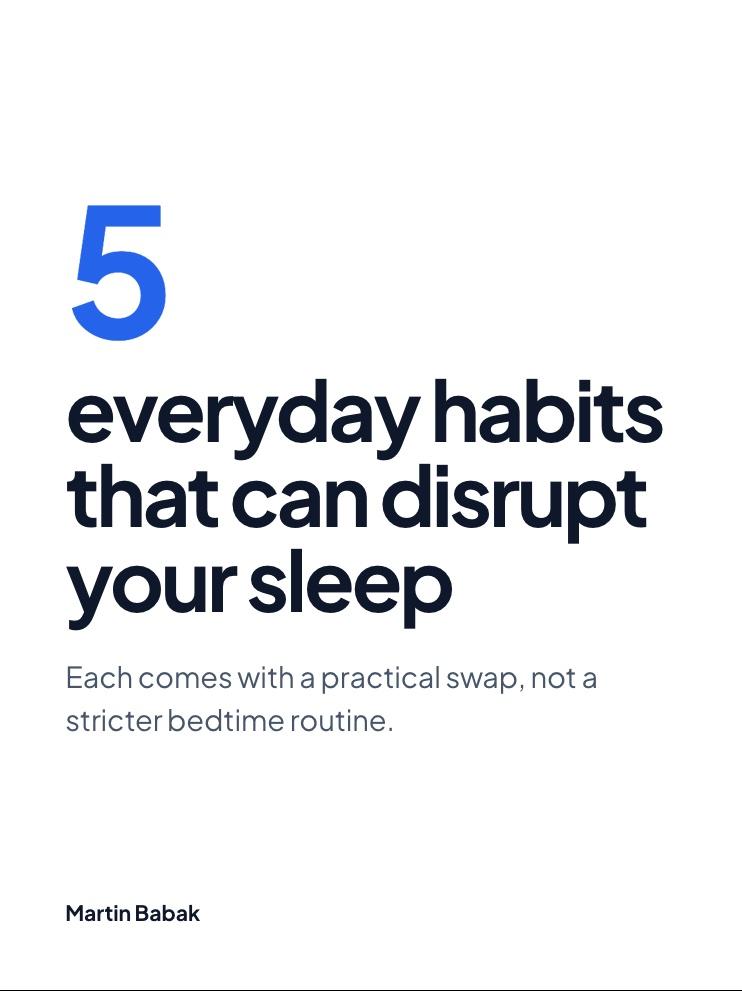
Cover
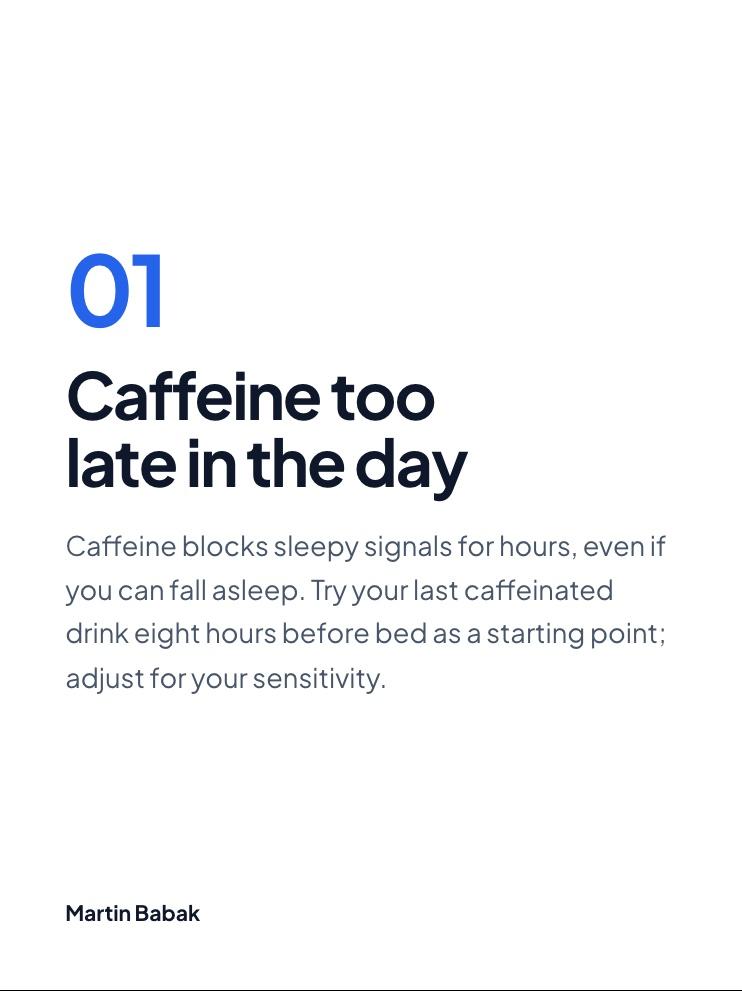
Habit 1
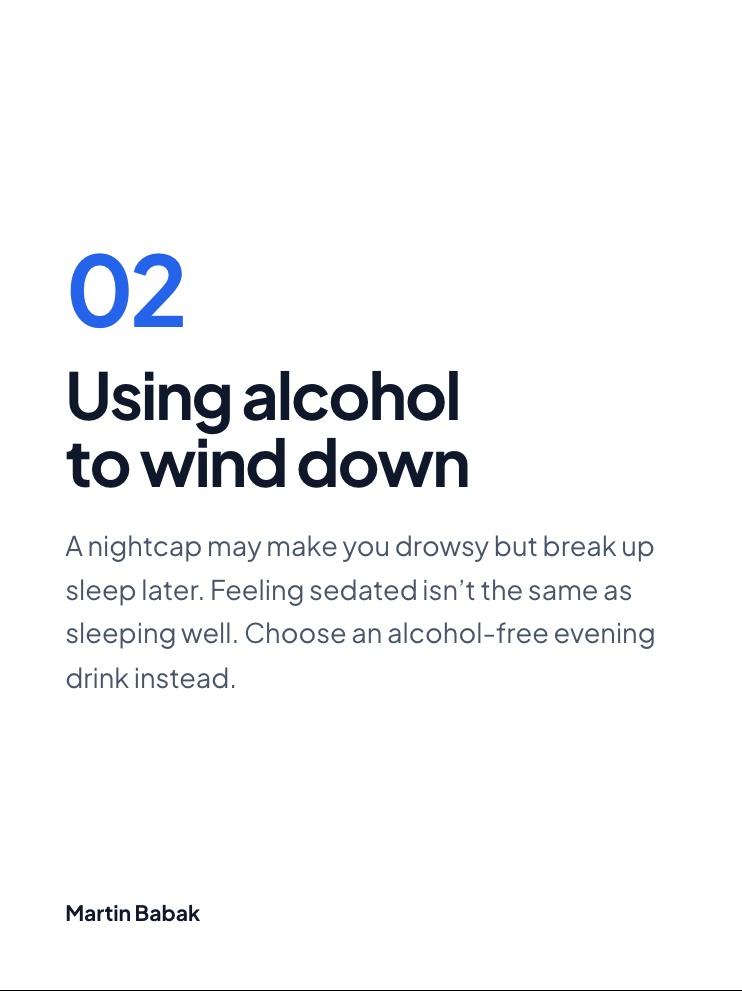
Habit 2
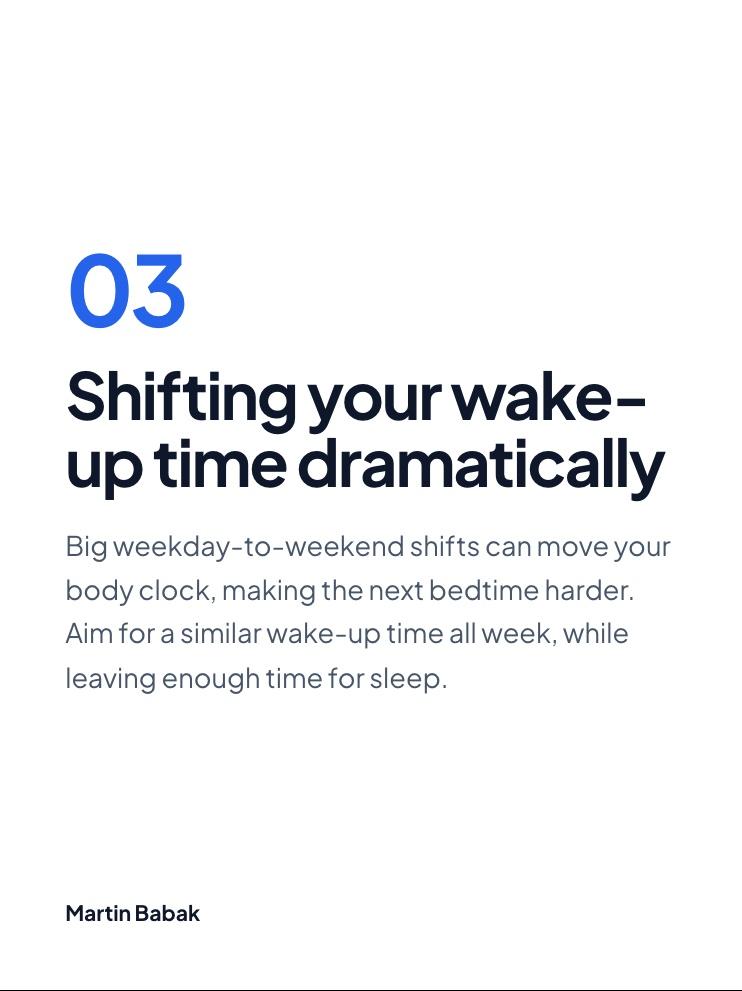
Habit 3
Habit 4
Habit 5
Recap
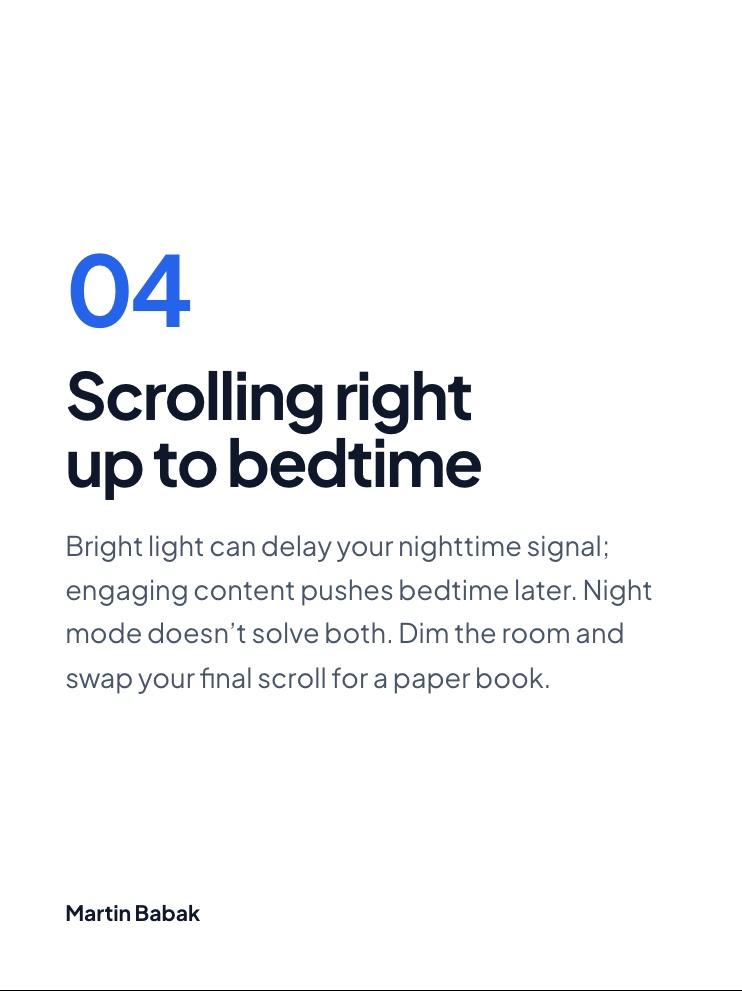
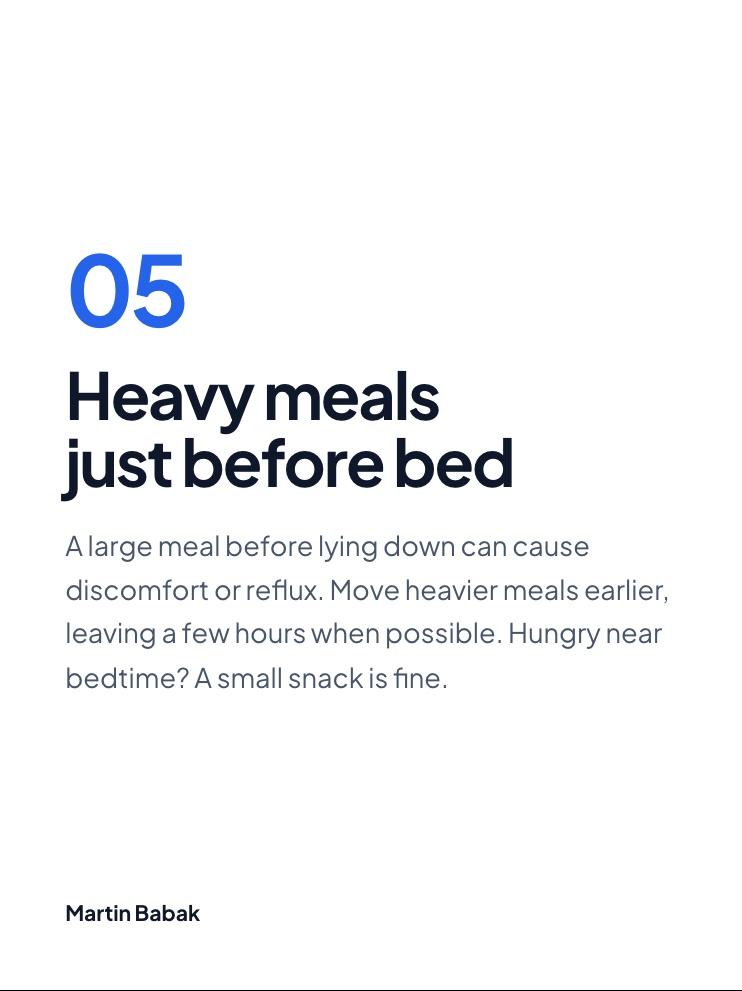
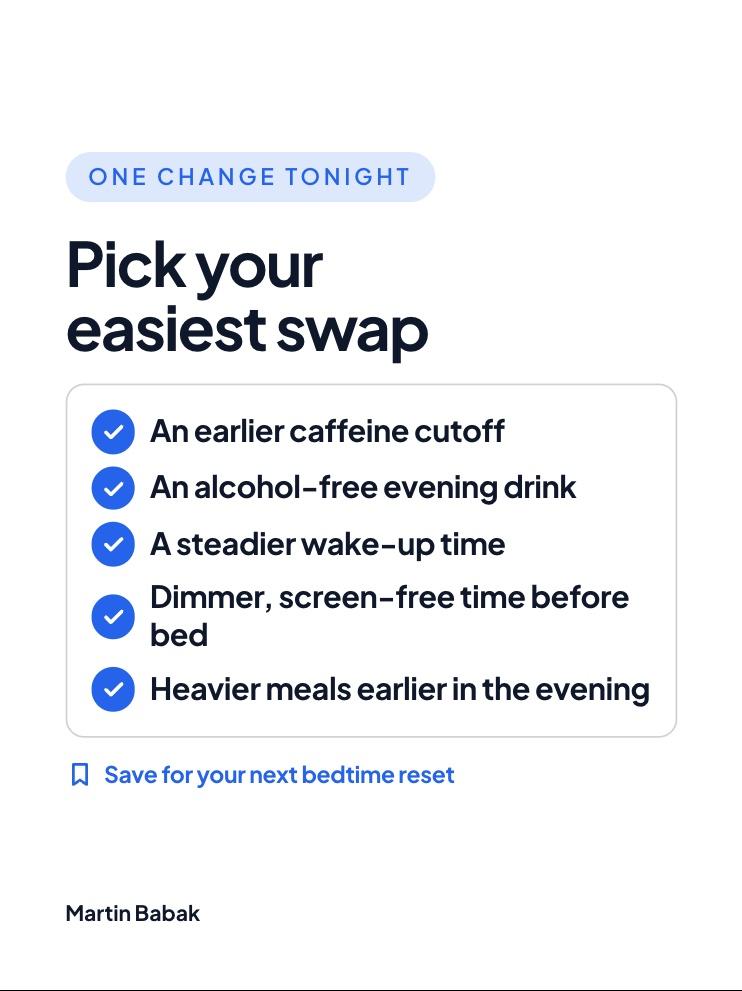
It asked no questions and was fast. It used a clean "list of tips" design: big blue numbers, one habit per slide, a short reason and a swap. The last slide is a five-item checklist with a small "Save for your next bedtime reset" line. A panel shows which writer it picked (Ava, Teacher), the theme and the format, and it offers other covers to swap in. It put the account's name on every slide and numbered the habits, which earned the handle and swipe-cue point.
It lost a point on shape: it picks 3:4 for Instagram by default ("Instagram's new tall post"); 4:5 is in the size menu. No images, and the save ask is small.
Tweenery: 13/14
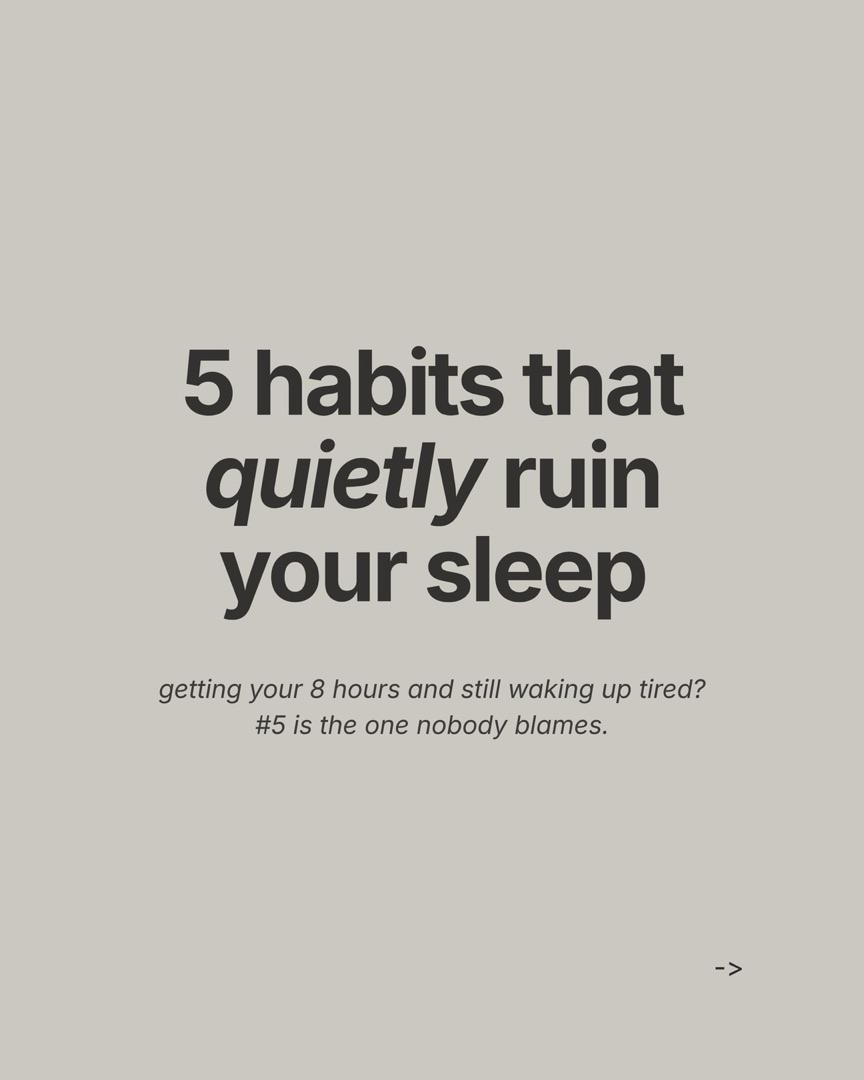
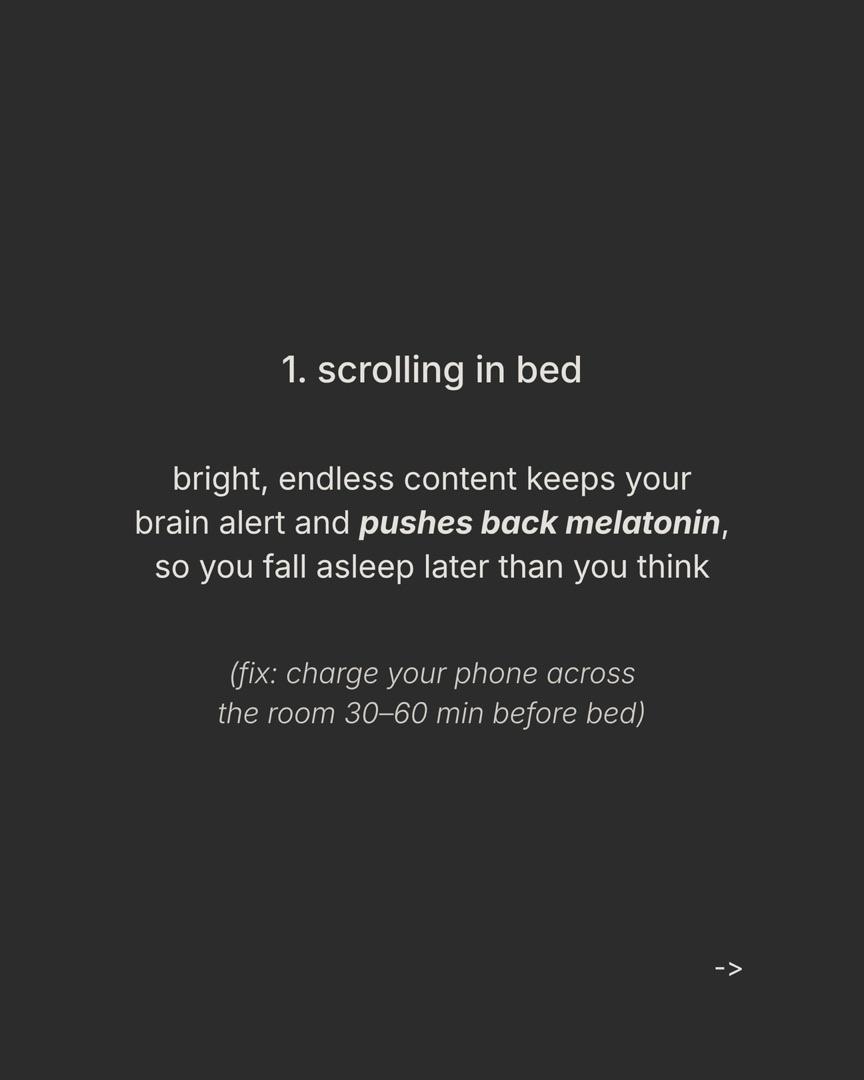
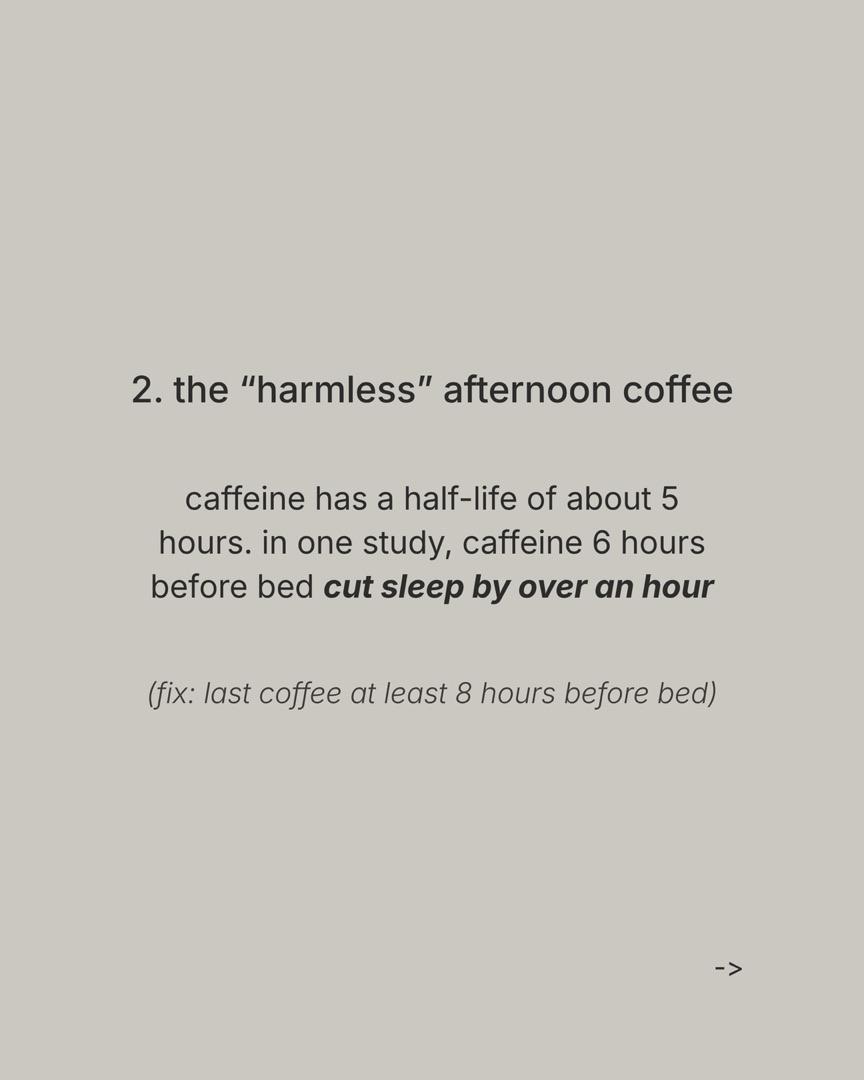
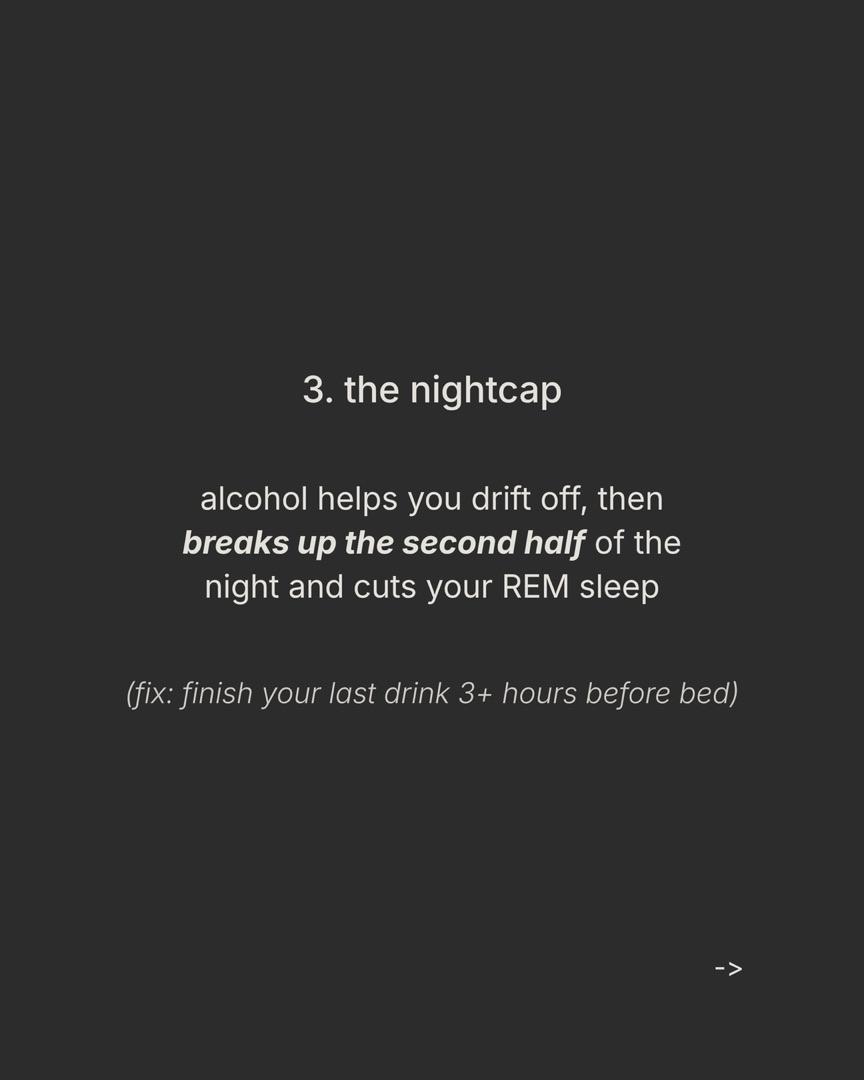
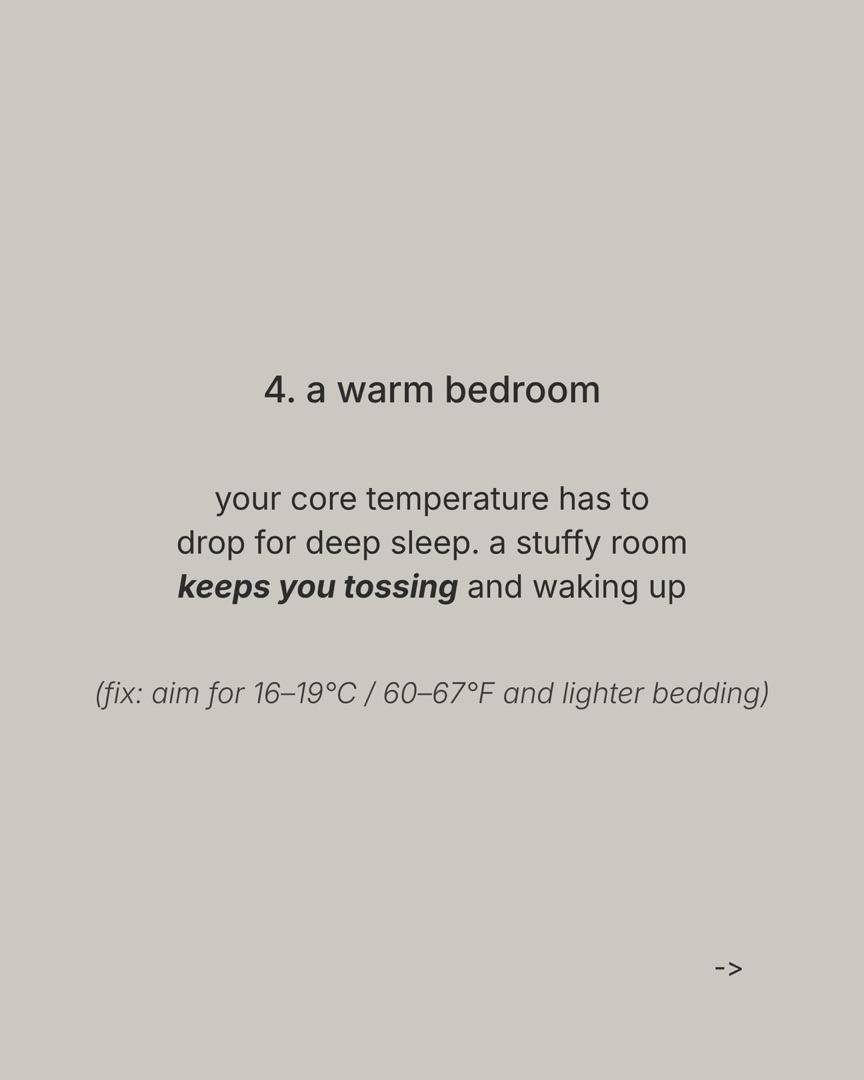
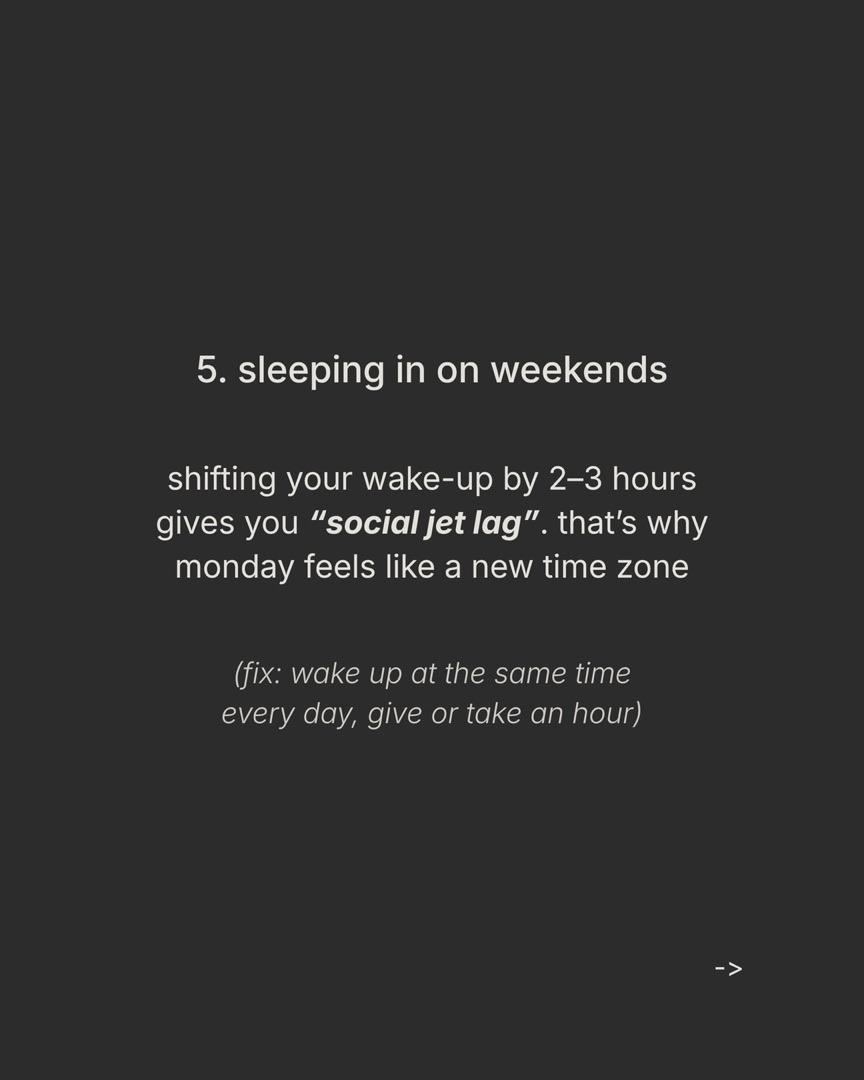
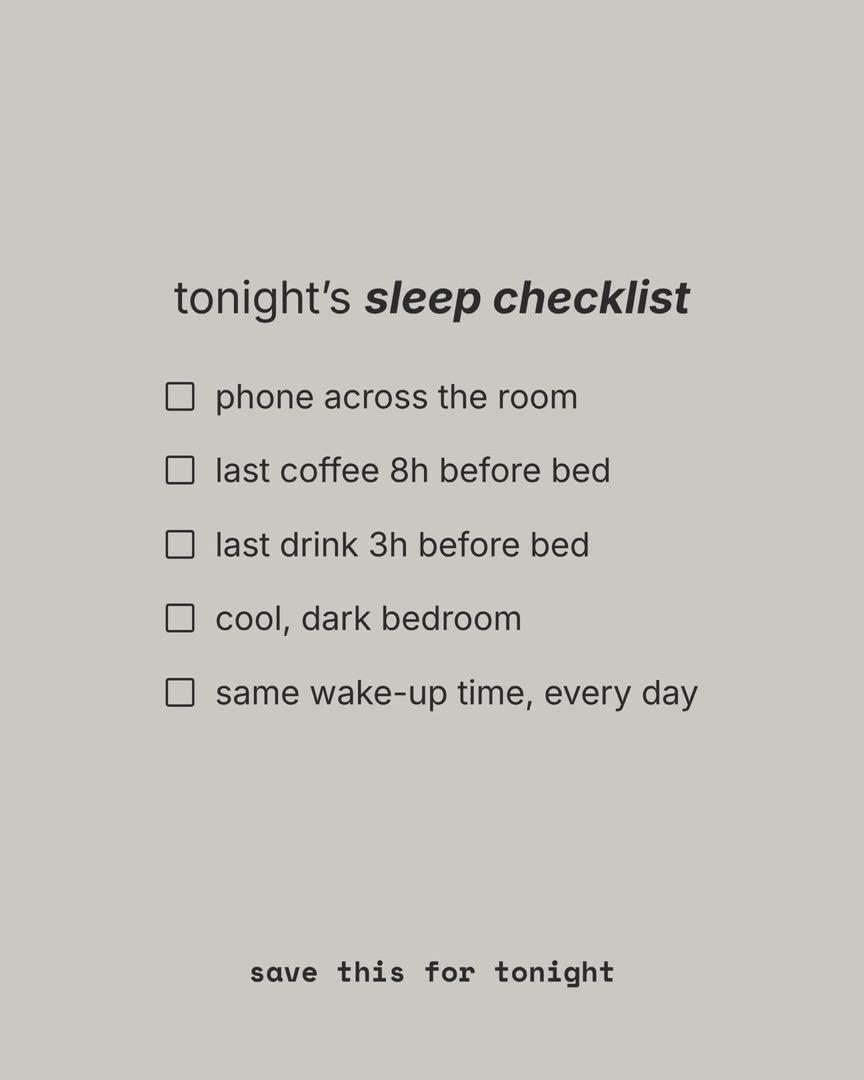
Where aiCarousels dropped its point on shape, Tweenery dropped its point on branding: no handle anywhere. Otherwise the two match. Tweenery needed about 1 minute 45 seconds, asked nothing, gave each habit its own slide with a fix, and ended on a checklist and a single ask. Neither tool added images.
| Check | aiCarousels | Tweenery |
|---|---|---|
| Hook | 2 | 2 |
| Slide count | 2 | 2 |
| Text per slide | 2 | 2 |
| One idea per slide | 2 | 2 |
| Save CTA | 2 | 2 |
| Format (4:5) | 1 | 2 |
| Handle and swipe cue | 2 | 1 |
| Total | 13/14 | 13/14 |
What aiCarousels' free try gives you
Checked on November 24, 2026:
- One AI carousel, up to 8 slides. No account needed.
- No AI edits. Asking the edit box to "make the hook on slide 1 stronger" opened a Pro upgrade.
- No second carousel. Generate now says "You've had your free try."
- You can still change words, theme and layouts by hand.
Tweenery's free plan is 200 credits, about 2 to 3 carousels, with AI edits included and no card.
Pricing compared
Checked on each tool's pricing page on November 24, 2026. US dollars.
| Tweenery | aiCarousels | |
|---|---|---|
| Free | Signup credits (200), all features | 1 carousel, no AI edits |
| Entry | Creator at $20 a month or $200 a year, 2,000 credits | Pro, $15/mo or $10/mo yearly ($120/yr): 60 AI carousels and 100 AI pictures a month |
| Mid | Pro at $45, 5,000 credits | Team, $59/mo or $39/mo yearly: 5 seats, 300 AI carousels shared |
| Top | Agency at $200, 25,000 credits | Pro Lifetime, $99 once: you bring your own OpenAI key and pay OpenAI for usage |
aiCarousels' allowances reset on the 1st of each month and don't carry over, and yearly plans aren't refunded. Tweenery's credits never expire, and every plan gets every feature. How many credits a Tweenery carousel takes varies with the model and with image generation, so there's no single per-carousel price to set against aiCarousels' $0.17 to $0.25.
Where aiCarousels is better
- Price per carousel. About $0.17 on the yearly plan, the lowest of the tools we tested, and a $99 lifetime option.
- LinkedIn posting. Pro sends the carousel and its caption to your LinkedIn profile, now or scheduled. Tweenery doesn't post anywhere.
- More built-in choice. 19 writers with their own voices, 304 layouts, 95 themes, and AI characters of you in 8 styles.
- More formats. Text posts, image posts and short video posts, in 27 languages.
- A ready-to-post check. A phone preview, a caption in the same voice and a checklist.
Where Tweenery is better
- A free plan you can test properly. 2 to 3 carousels with AI edits, against one carousel without them.
- Brand from your site. Hand Tweenery a URL or @handle and the kit fills itself: colors, fonts, logo, tone, audience. aiCarousels' own help says there's no one-click brand import; you fill in a kit and can generate themes from your site as a separate step. More on brand style posts.
- No extension needed to copy a post. Drop the post's URL or a screenshot into the chat and you get its layout, type and palette with your own topic. aiCarousels needs the post saved through its Chrome extension or uploaded as images first. See how to copy a post's style.
- Instagram's 4:5 by default, the shape 71% of viral Instagram carousels in our research used.
- One place to work. You say what to change in a chat instead of finding the right panel.
- Credits that don't expire, and no features locked to higher plans.
Who should pick which
Pick aiCarousels if LinkedIn is your main channel, you want to schedule there, you like choosing writers, layouts and themes yourself, or you want the lowest price per carousel and are happy to pay from day one.
Pick Tweenery to describe the carousel once and get it back finished and on-brand, to start from a post that worked in your niche, or to try a few before paying. Posting is up to you or your scheduler.
FAQ
Is aiCarousels free?
There's a free try: one AI carousel of up to 8 slides, no account needed. You can edit it by hand, but AI edits and a second carousel need Pro, which is $15 a month or $10 a month billed yearly.
Is Tweenery a good aiCarousels alternative?
Yes. Both got 13 of 14 points on the same brief. Tweenery is the better pick if you want your brand set up from a link, want to copy a viral post from its link, or want more than one free carousel. Stay with aiCarousels if you need LinkedIn scheduling or the lowest price per carousel.
Can aiCarousels copy another carousel's style?
Yes, with limits. You save posts to its Inspiration page with a free Chrome extension, or upload screenshots, then pick "Make one like this" or "Use its style". It copies colors, fonts and layouts, not words or photos, and it needs Pro. Tweenery does the same from a pasted Instagram or TikTok link or a screenshot.
Does aiCarousels post to Instagram?
From a computer, no: its Post button shows steps for posting the slides on instagram.com yourself. It posts and schedules directly to LinkedIn on Pro. Tweenery doesn't post or schedule to any network.
Is aiCarousels cheaper than Tweenery?
aiCarousels. Pro is $15 a month, or $10 billed yearly, for 60 AI carousels. Tweenery's Creator plan is $20 a month for 2,000 credits that never expire. Tweenery's free plan goes further: 2 to 3 carousels against aiCarousels' one.
What size does aiCarousels use for Instagram?
3:4 by default, which it recommends as Instagram's tall post. It also offers 4:5, 1:1 and 9:16. Tweenery defaults to 4:5 (1080x1350), the most common shape among viral Instagram carousels in our research.